wsp init, screen by screen
wsp init reads your computer, shows you six screens of what it found, and builds the golden image. Every row starts ticked or unticked from evidence, and Enter through every screen takes the defaults. Nothing leaves your disk before the confirm on the last screen, and no question is ever asked on the remote machine.
Before the screens
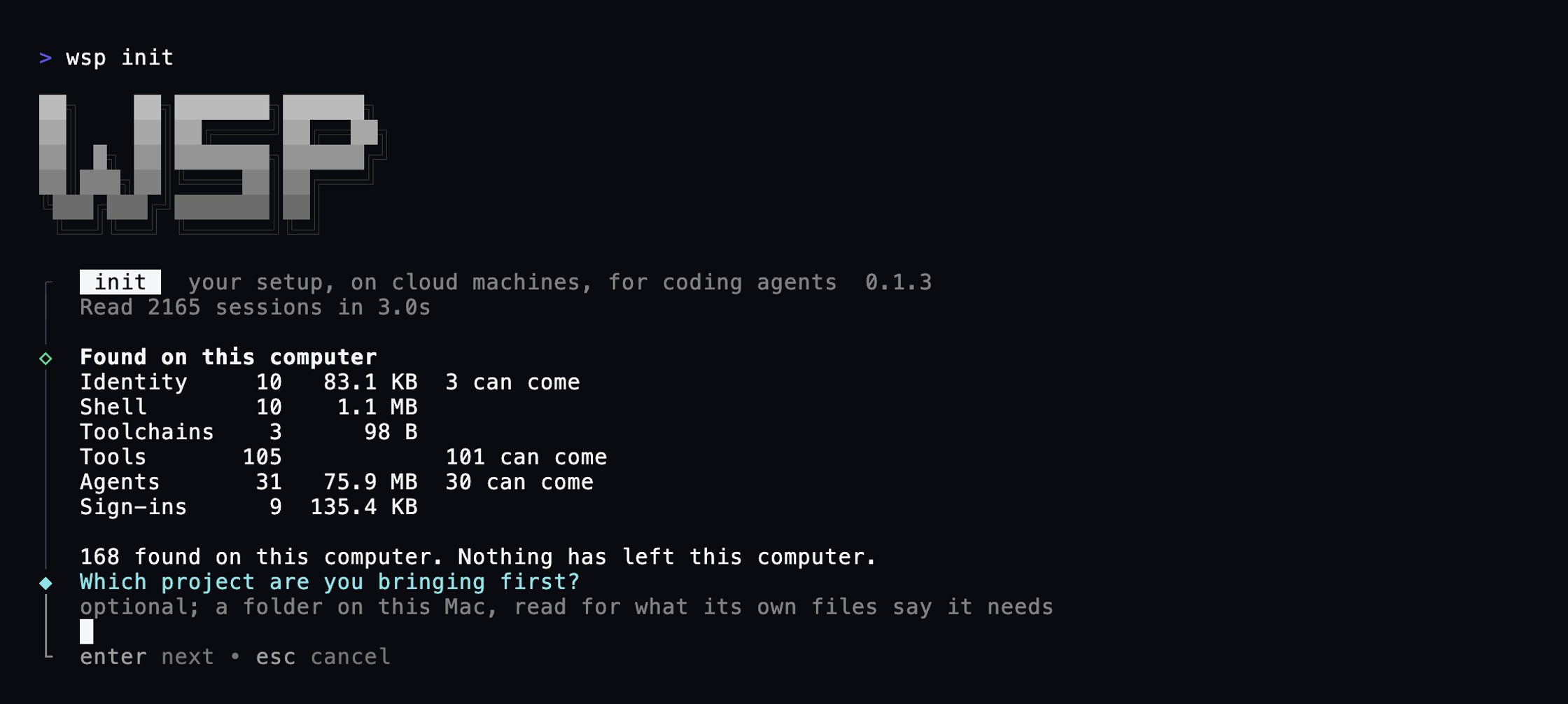
If the run will end by serving the app, the ports are probed first, so a clash is found before the build and not after. Then wsp reads this computer: your shell files, your toolchains, what Homebrew and the package managers installed, the agents and their session histories, and which logins are present. Only names and counts are read out of session histories, never a line's content. Reading a Mac with a hundred and fifty sessions takes over a minute the first time; the counts are cached beside the state file so the second run is short.
Without --project, the first screen is preceded by one optional question, which project you are bringing first. Name a folder and its own manifests tick rows before anything else: package.json, lockfiles, pyproject.toml, go.mod, Cargo.toml, compose files, .tool-versions, CI workflows. An empty answer changes nothing.
Keys
- Space toggles a row. Arrows choose an answer or fold a group. Enter goes to the next screen. Esc steps back one screen; the first screen stays put.
The six screens
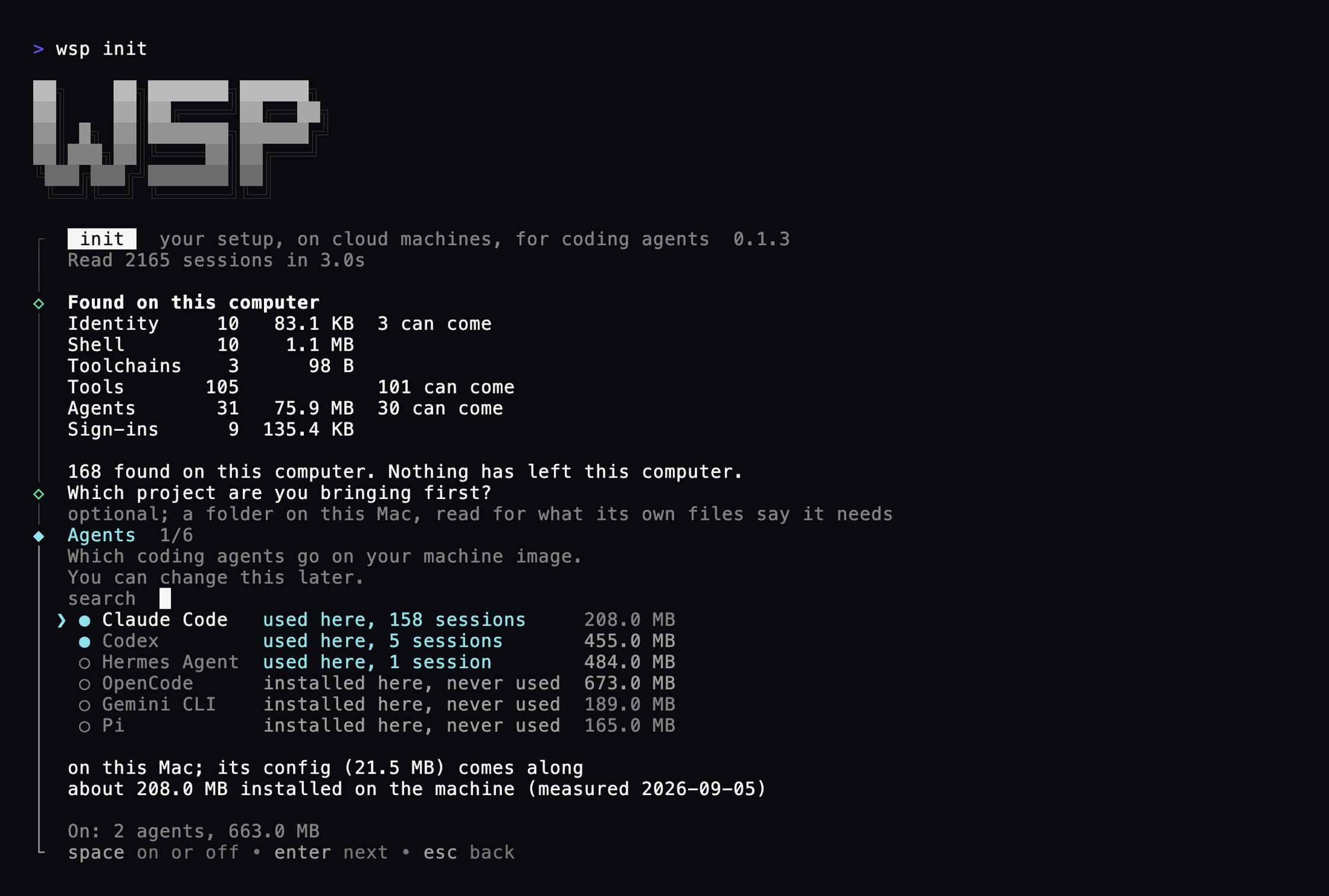
1. Agents
Every agent the catalog knows that is on this computer, with what its history here says: used here, 149 sessions. An agent your agents actually ran is ticked. An agent wsp cannot open a thread on yet, Gemini CLI, OpenCode, Pi, Hermes, installs when ticked but shows the note that wsp cannot run its threads yet, and stays unticked unless it is installed here.
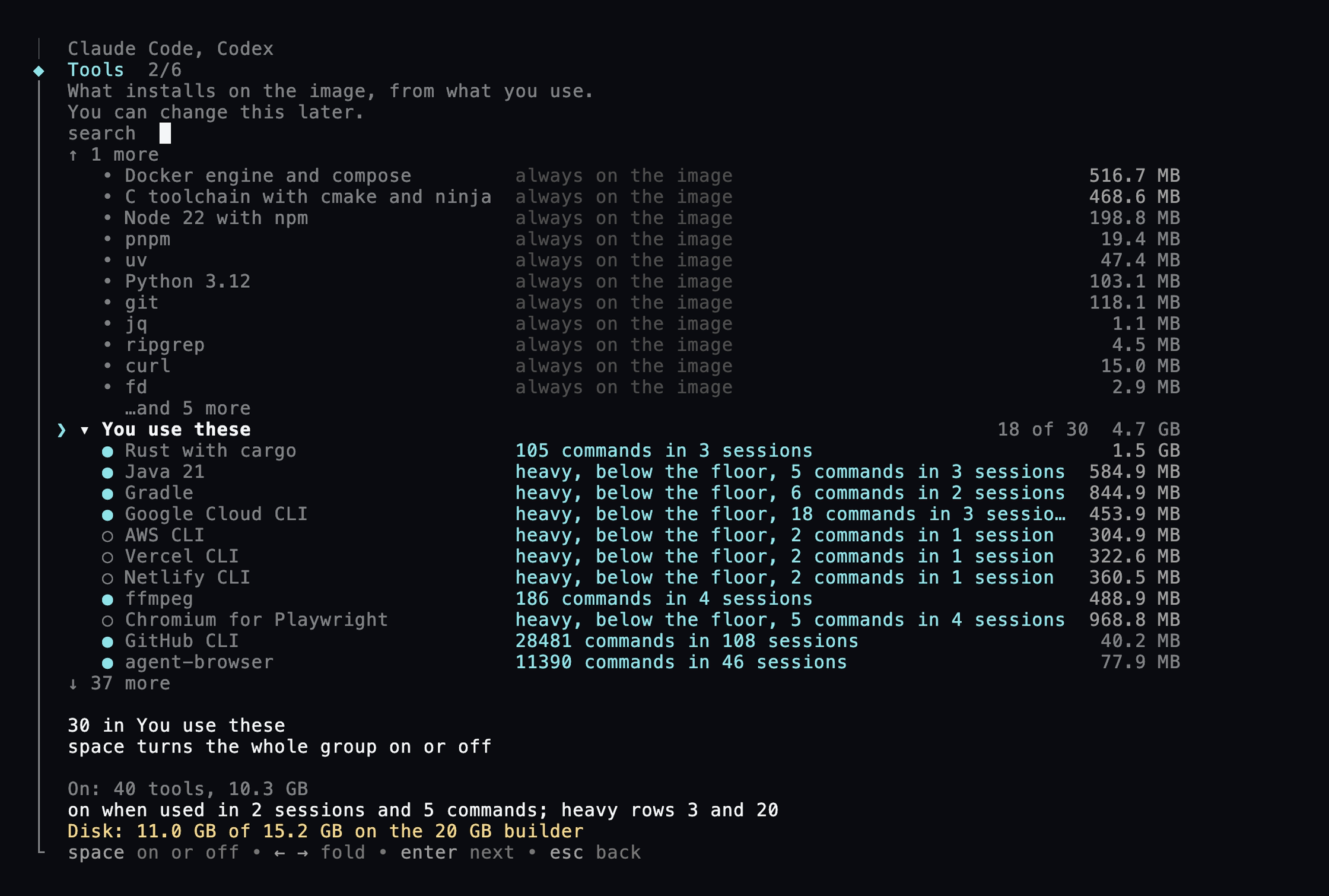
2. Tools
The tools your agents reach for, each with why it is ticked and its download size. The default rule is use: a tool is on when your agents ran it in at least 2 sessions and 5 commands. A heavy row, over 300 MB, needs 3 sessions and 20 commands, because a heavy row costs more to be wrong about. Sixteen floor tools are always on and cannot be unticked: node, pnpm, uv, python, git, jq, ripgrep, curl, docker, build-essential, fd, sqlite3, wget, zip, xz, rsync. A project's own needs win over any rule.
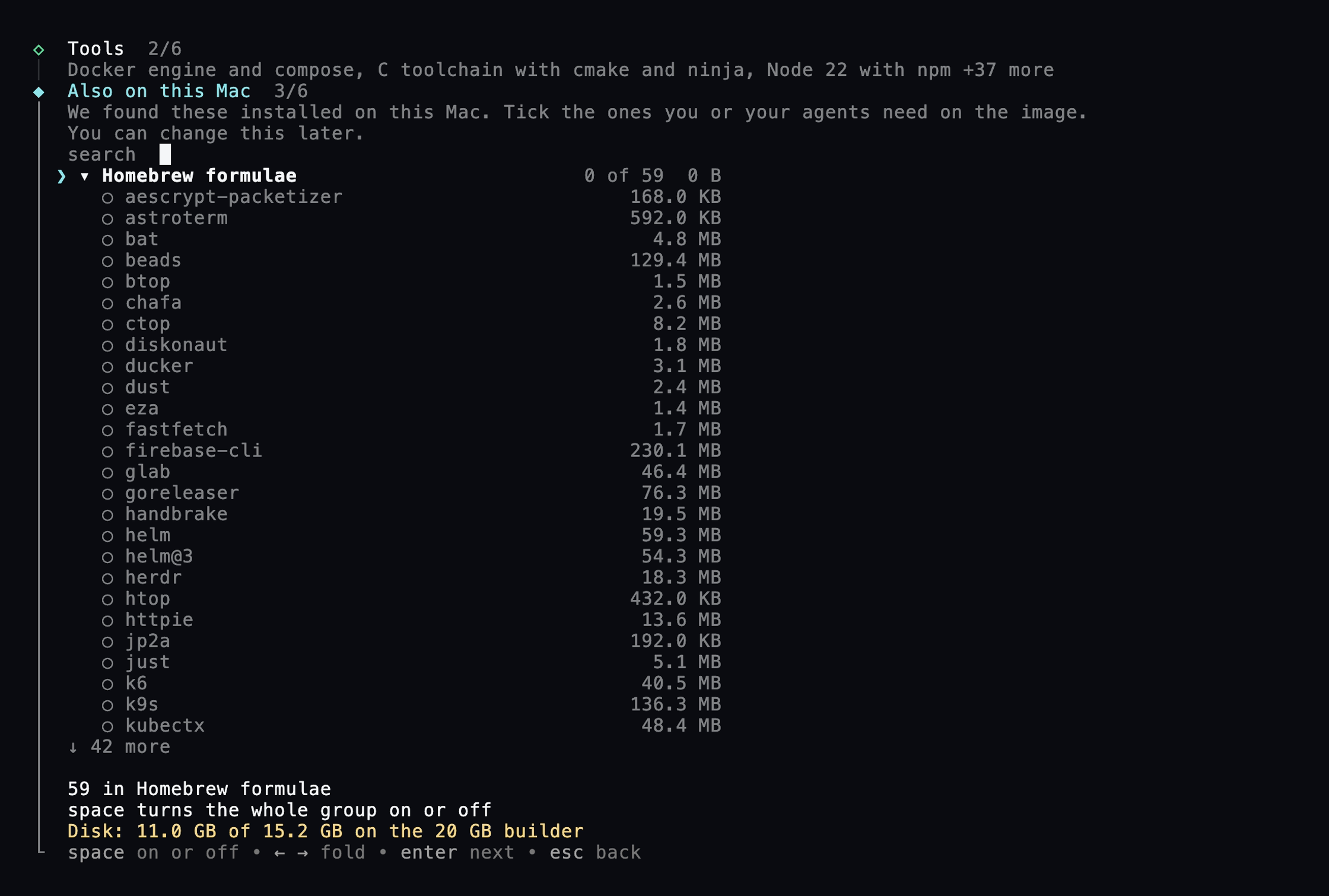
3. Also on this Mac
What your own package managers installed that the image could take: Homebrew formulae with a Linux bottle, npm, pnpm, bun, pipx, uv and cargo globals, Go binaries. Each row shows the line that installs it and its size. A formula with no Linux bottle is greyed with the reason. Everything here starts unticked.
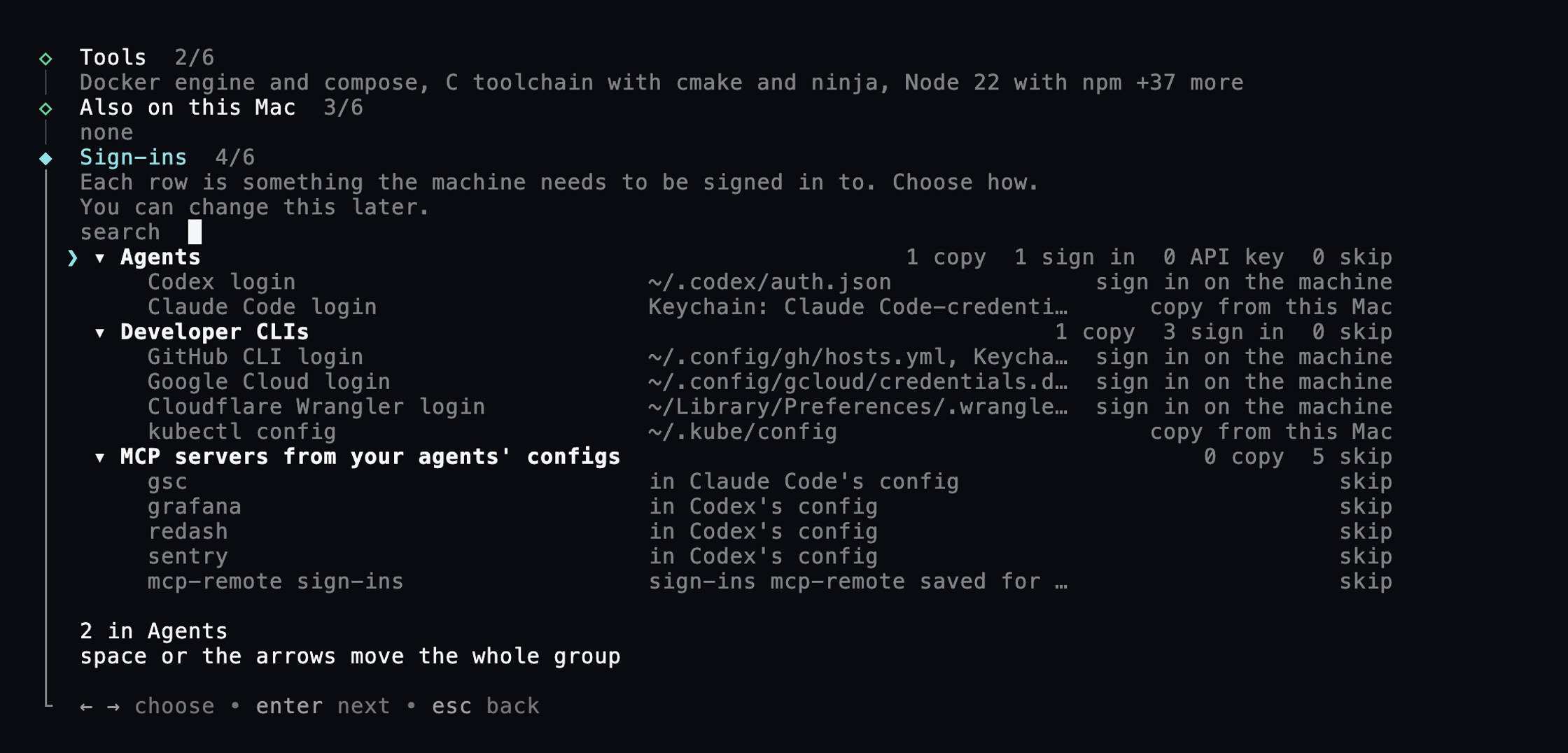
4. Sign-ins
One row per login present on this computer, with what to do about it: copy it from this computer, sign in on the machine after the build, hand the machine an API key, or skip. A browser or device flow starts as sign in on the machine; a file or a key starts as copy. Some things are never copied whatever you tick, and the row says so: private keys, GPG keys, .env files, .netrc. The Claude Code OAuth credential defaults to a sign-in on the machine because the vendor's terms forbid a host to collect or intermediate it. See Sign-ins and the relay.
5. wsp for your agents on this Mac
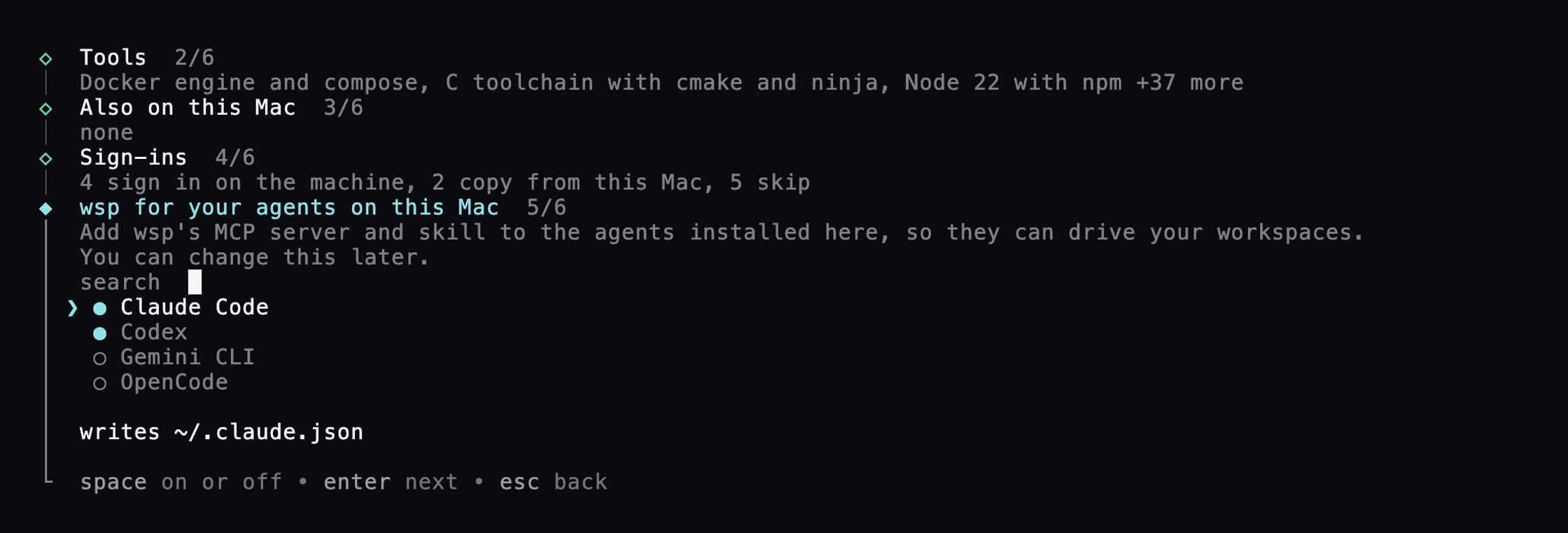
The agents on this computer that wsp can put its MCP server into: Claude Code, Codex, Gemini CLI, OpenCode. An agent this computer has run threads with starts ticked. This screen is never defaulted and never taken by --yes, because a run that asks nothing writes nothing on this computer. Under --yes or --non-interactive it prints the wsp mcp install --agent <id> line to run instead.
6. Build
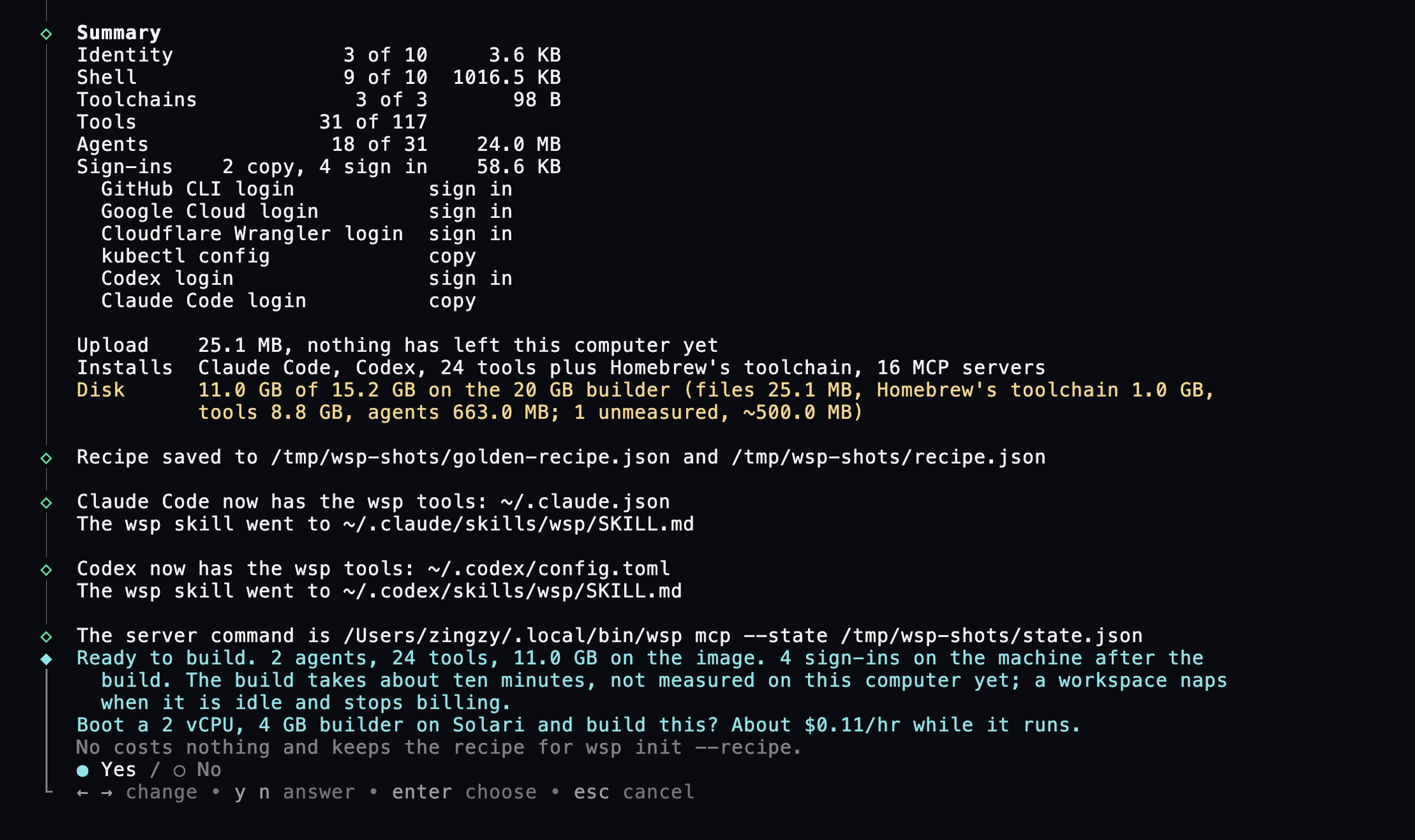
The confirm. Before anything bills, the whole recipe is measured against the builder's 20 GB disk with a 2 GB floor, and a recipe over budget is refused naming the screen to untick from. A refused Keychain dialog here costs no machine; it flips that row to sign in on the machine.
The build
Eight stages, then four for the seal: creating, deploying the helper, applying setup, uploading files, installing agents, installing tools, installing MCP servers, ready; then snapshotting, promoting, smoke forking, sealed. On a terminal they animate in one block. Off a terminal each step is announced once as it starts and once as it ends.
At the provider's machine cap the run waits thirty seconds and retries, up to twenty times, killing nothing. An agent that fails to install refuses the seal outright, since you ticked it and the hand-off would open a terminal on a machine without it. A tool that fails is a warning and the build goes on; the version records it as missing with the reason.
The first seal forks one workspace for you, named first, and the run keeps serving the app.
Ctrl-C after the boot ends the stage in flight and the builder with it. A second Ctrl-C exits at once with the truth about what may still be running. The builder costs about $0.11 an hour while it runs and holds one of the account's two machine slots.
Running init again
A builder from an earlier run that is still first-life, not sealed, and carries the same recipe is attached to, and its finished stages are skipped. When a golden already exists, init diffs the saved recipe against the one the golden was built from and offers an update, about a minute on a kept builder or two on a fork, or a full rebuild, defaulting to whichever the size of the change implies. An update only ever adds: a row the recipe dropped is retired on the new version, never uninstalled, because uninstalling asks each package manager for an inverse it may not have, on a disk the next full build throws away anyway. A sign-in answered on the machine needs a rebuild, not an update.
Flags
| flag | what it does |
|---|---|
--yes, -y |
take every default, ask nothing, and skip the sign-ins |
--non-interactive |
ask nothing but still run the sign-ins, printing each page to open |
--json |
one JSON object per stage, sign-in and outcome on stdout, prose on stderr; implies --non-interactive and is refused beside --yes |
--recipe <path> |
build from a recipe an agent wrote; the first three screens are answered by it |
--project <folder> |
tick rows from that folder's manifests first |
--first-workspace <name> |
name the workspace the first seal forks |
--import <folder> |
import that folder onto the first workspace |
--state <path>, --port <n> |
keep a second setup apart from the first |
Exit codes are the shell's: 130 on SIGINT, 143 on SIGTERM.